
Set up before guests arrive
Create the open house, choose quick capture or full qualification, and hand over the iPad without hunting through CRM menus.
Open house sign-in app
Sign visitors in on an iPad or their own phone, qualify buyers on the spot, and send every lead straight to your CRM.
Why agents switch from paper or bloated CRM flows
Create the open house, choose quick capture or full qualification, and hand over the iPad without hunting through CRM menus.
Run the iPad as the front-door kiosk, manage the event from your iPhone or any browser, and let visitors scan a QR code to sign in on their own phone. The kiosk is PIN-locked so guests only ever see the sign-in.
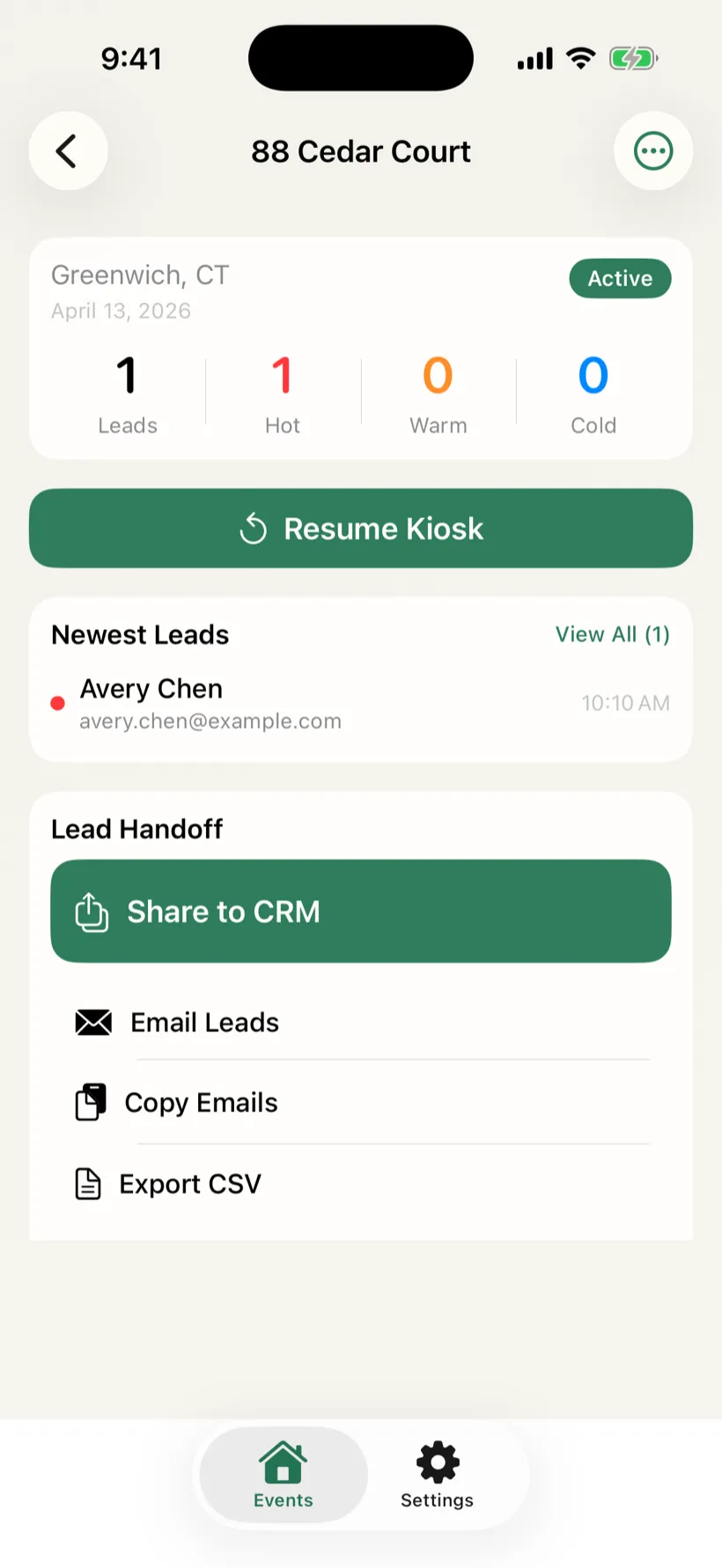
Separate represented buyers, unrepresented hot leads, neighbors, and investors while the context is still fresh, and fix a fat-fingered email on the spot.
Text Now and Email Now send the first touch from your own number, with templates that merge name, property, and price. A morning-after recap makes sure no lead goes cold.
Leads send to Follow Up Boss, HubSpot, BoldTrail, Lofty, and Sierra on their own after each event. Using another CRM? Export a CSV or vCard in one tap, and your leads stay exportable even if a subscription lapses.
No lender co-branding, no guest tracking, and your data is never sold. Cloud sync is yours to switch on, and sign-in keeps working with no Wi-Fi.
Visitor experience
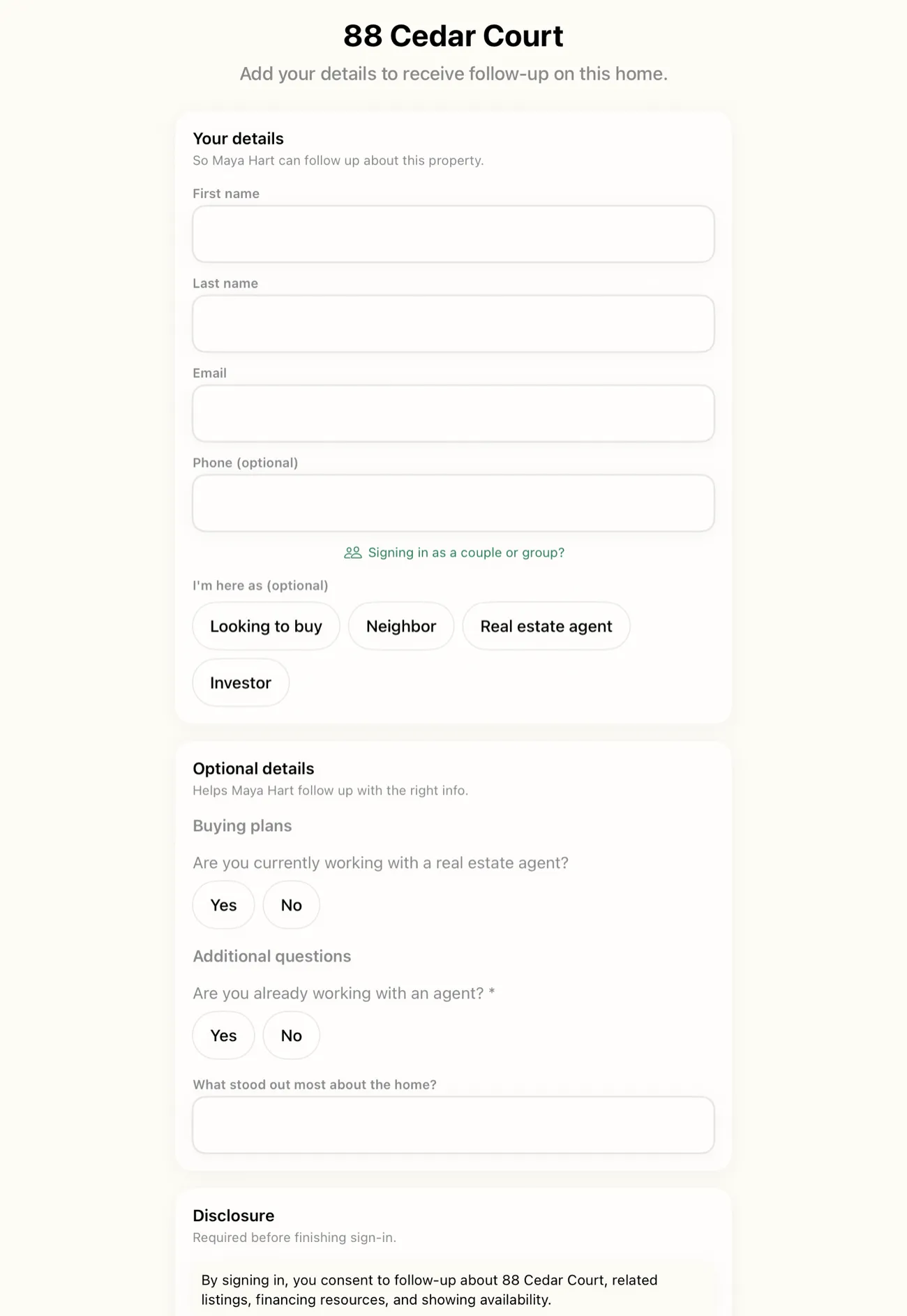
The sign-in form keeps visitors focused on the property and keeps optional qualification questions clearly separated from required contact capture.
Manage from any browser
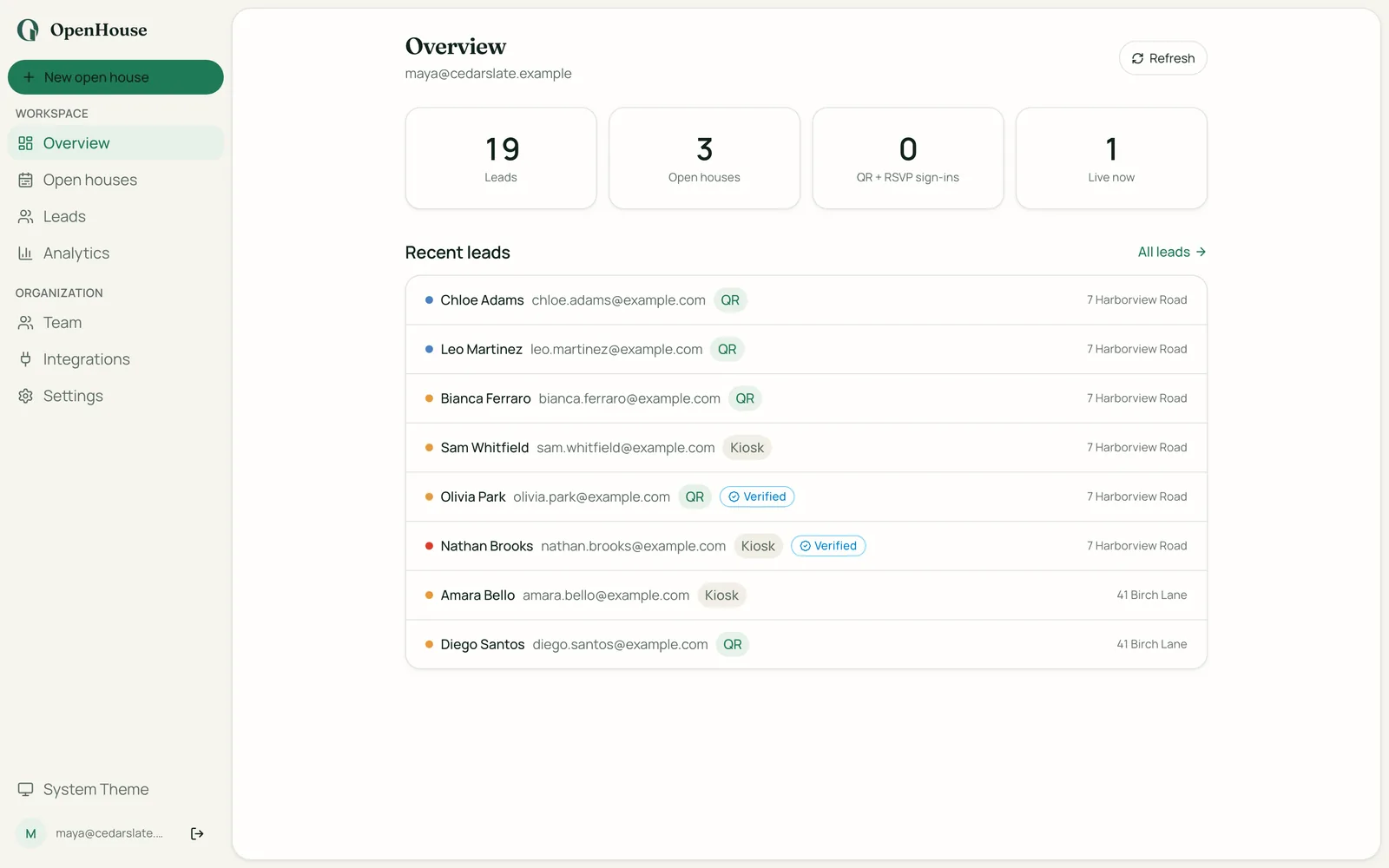
Set up events, watch sign-ins land as they happen, qualify and follow up, and connect your CRM, all from a browser with nothing to install. The iPad runs the door. The web app runs everything around it.
Field-tested workflow
Create the event, set the capture mode, and confirm disclosure copy.
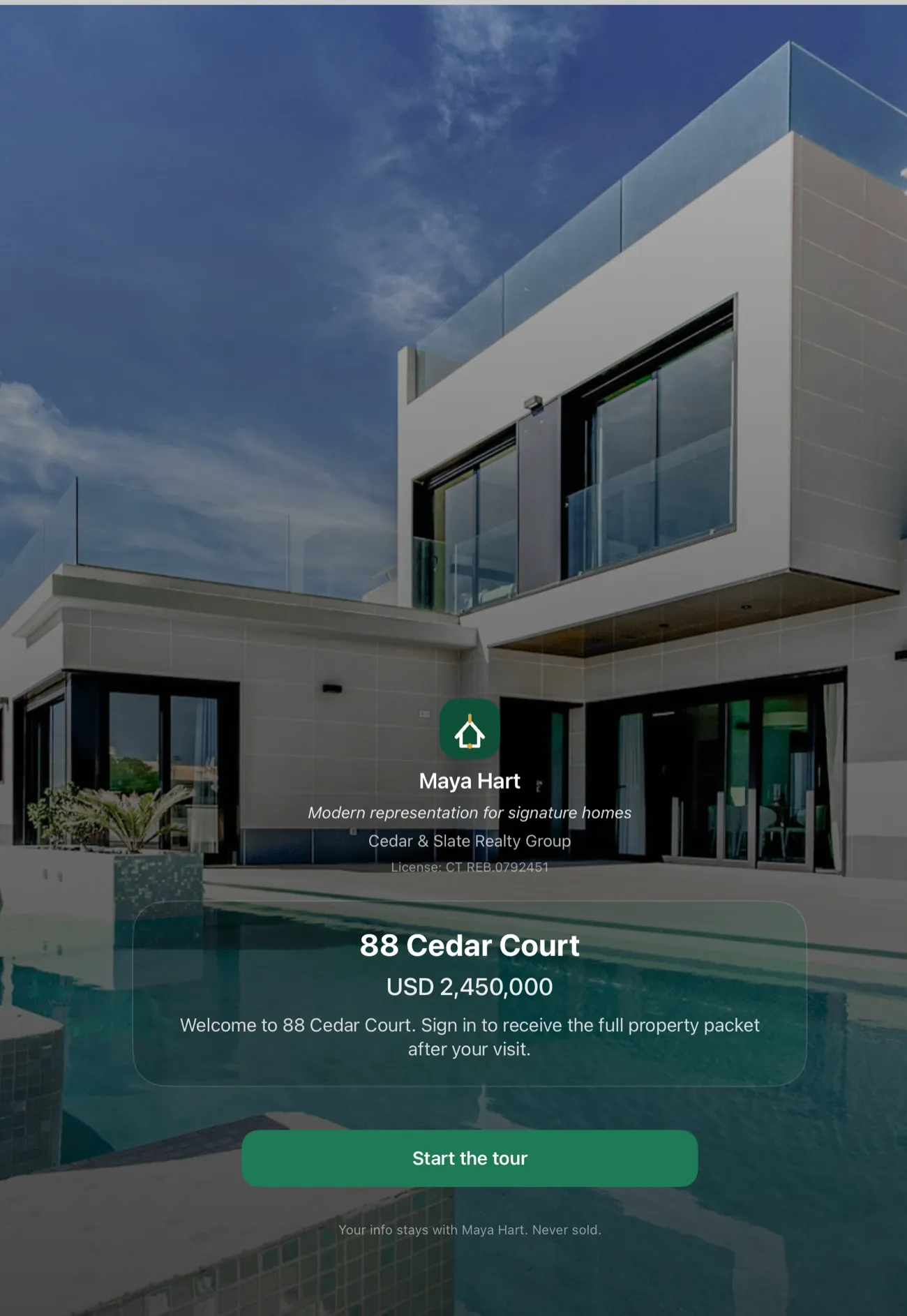
Visitors sign in from a clean kiosk flow that stays focused on the property.
Hot, warm, cold, represented, and incomplete leads are separated as they come in.
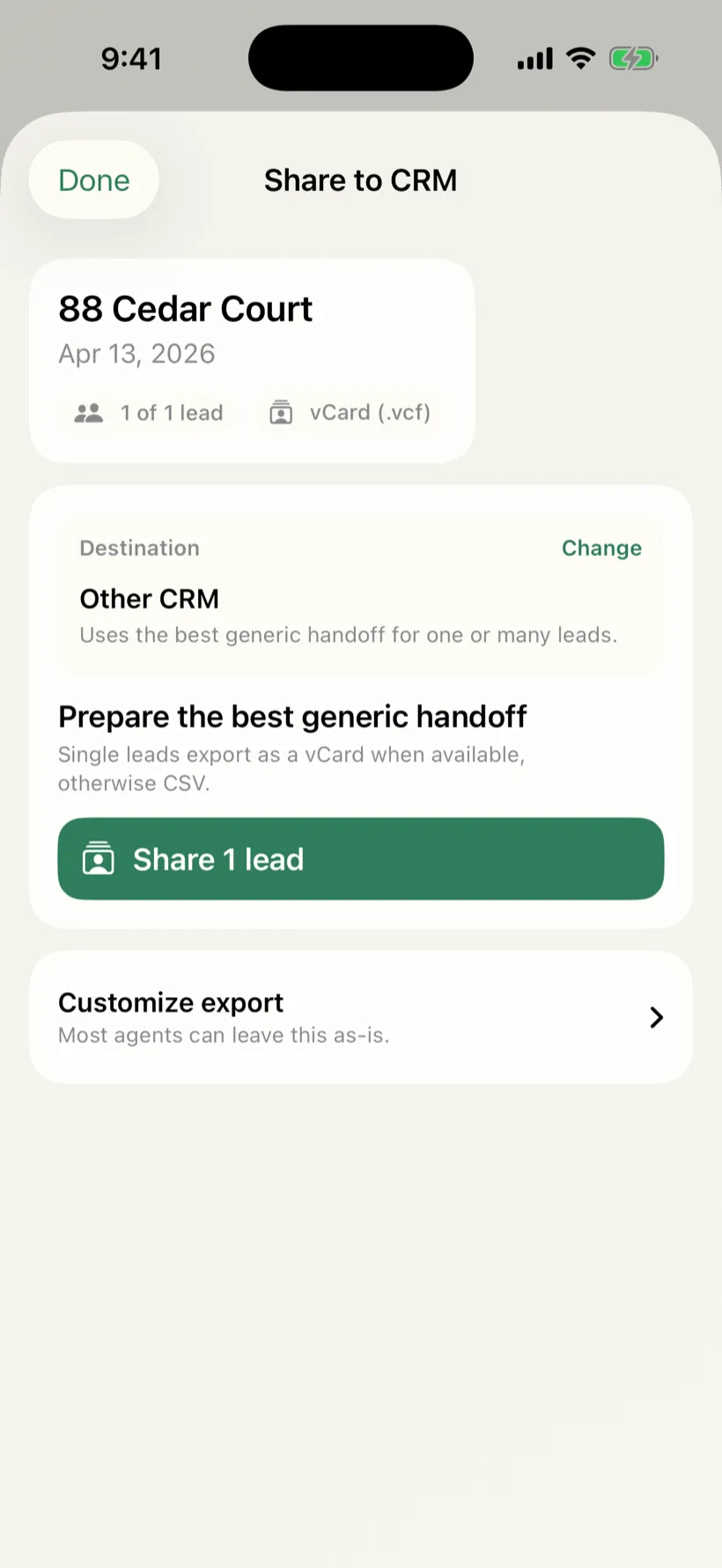
Share exactly the right lead payload to CRM, email, CSV, or vCard.
Leave with a seller-facing summary and a prioritized callback list.
After the event
The first follow-up should go out while you’re still at the listing: text or email a hot lead from your own number, push the event to your CRM, or hand the seller a clean recap, no dashboard sync, no spreadsheet cleanup.
Professional, not bloated
Fast enough to use while guests are walking through the door.
Your leads go to your CRM and your phone, never to a lender or a data broker.
Keeps working with no Wi-Fi, and never interrupts a live sign-in.
Focused on buyer intent, representation, and same-day follow-up, then it gets out of the way.
Resources for agents
Still choosing what to run at the door? You can compare the open house apps on offline reliability, who else sees the lead, and how the data gets back out.
A Curb Hero review: what the free open house sign-in app does well, how lender co-marketing funds it, and who it fits best.
A broker open house is an agent-only preview. What it is, how it differs from a broker tour, the MLS rules that set your date, and what to record.
The open house process end to end: the listing agreement, the MLS record, the yard sign clock, who is allowed to host, and where your name goes afterward.
Common questions
No. OpenHouse is intentionally narrower than a CRM: it captures open house visitors, qualifies leads, and hands the data to the tools you already use, like Follow Up Boss or Lofty.
Yes. Text Now and Email Now send the first follow-up from your own number and email, not a shared or toll-free line, using templates that merge the visitor’s name, the property, and the price. A morning-after recap reminds you who still needs a touch.
Yes. Sign-in, qualification, and lead capture run entirely on the device, so they keep working when venue Wi-Fi is unreliable. Once an open house is live, nothing, not billing, not connectivity, can interrupt a visitor signing in.
You choose. Sign-in and lead capture run on the device first, so they work with no Wi-Fi and no account. Turn on cloud sync when you want your leads on every device, in the web app, and in your CRM. There is no lender co-branding on your form, no guest tracking, and your data is never sold.
They are never held hostage. OpenHouse is a paid subscription with a one-month free trial, and if it lapses the app drops to a data-safe read-only mode where every captured lead stays viewable and exportable, for free, forever.
Not always. You can run the kiosk in any browser at app.openhousekiosk.com with nothing to install, or download the iPad and iPhone app for the fully offline kiosk. Visitors never install anything: they sign in on the tablet, or scan a QR code to use their own phone.
OpenHouse