
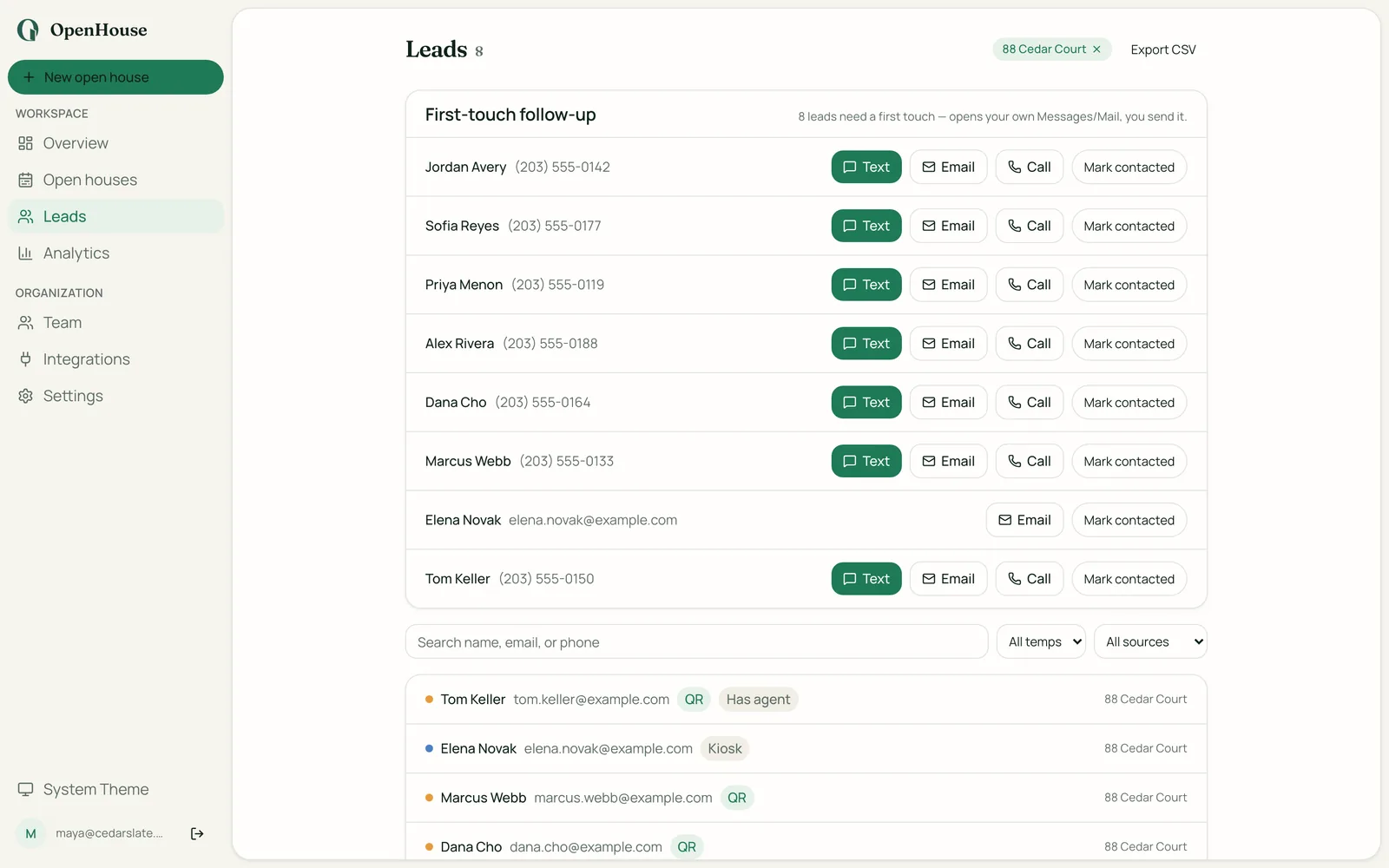
Curb Hero alternatives are usually searched for one of three reasons. You found out how the free app actually gets paid. You want your open house to carry your branding instead of a lender's. Or sign-in fell over at a listing with no Wi-Fi. All three are fair reasons. Curb Hero is genuinely popular, with a polished free product and 4.9 stars, and for plenty of agents it is the right call. But if one of those three things has started to grate, this list is for you: five real Curb Hero alternatives, ranked, with pricing and the trade-offs of each. Full disclosure up front: we build the app ranked first, and we will tell you exactly when not to pick it.
Why agents go looking for Curb Hero alternatives
The lender co-marketing model. Curb Hero is free because lenders fund it. That is not a rumor. Their own help center explains that a default lender may be assigned to your listings, and that when a visitor opts into mortgage-related questions, their information is shared with that lender. To be fair: this is disclosed, you can pair with a lender you already work with, and many agents have co-marketing relationships that make this a feature rather than a bug. But if you did not choose that lender, or your visitors do not realize their details are going to a third party off your iPad, the model starts to feel less free. It is worth knowing what "free" really costs across the free open house sign-in apps before you decide the price is zero.
Branding limits. When a lender is part of the sign-in experience, the open house is no longer only your stage. Agents who spent years building a personal brand often want the kiosk, the follow-up, and the listing presence to carry their name and nobody else's. A free tool with someone else's logo in the flow has a real cost. You just pay it in attention instead of dollars.
Offline reliability. Open houses happen in vacant homes, basements, and new builds where Wi-Fi ranges from flaky to nonexistent. Any sign-in app that leans on a connection, whether for loading the form, validating the lead, or syncing in real time, has a bad day right when the room is busiest. If you have ever watched a kiosk spin while a visitor gave up and walked past it, you know why "works in a dead zone" sits at the top of so many switching lists.
If any of that sounds familiar, here are the apps like Curb Hero (and two non-app options) worth your attention. For the wider field beyond this shortlist, see our ranked list of every open house app or browse the comparison hub.
Five Curb Hero alternatives, ranked
| Rank | Alternative | Best for | Pricing | Biggest trade-off |
|---|---|---|---|---|
| 1 | OpenHouse | Offline-first sign-in with private, exportable leads | $9.99/mo or $79.99/yr, 1-month free trial | Paid; iPhone/iPad only |
| 2 | Open Home Pro | Agents already in a tablet-based listing workflow | Free tier; paid upgrade (see their site) | Tablet-only sign-in; sync-later offline model |
| 3 | Showable | Teams that want showing tools around sign-in | Paid (see their site) | Broader platform than a solo agent may need |
| 4 | Paper sign-in sheet | Zero-tech backup that never crashes | Free (printing costs) | Manual data entry; illegible handwriting; no qualification |
| 5 | Google Forms | Free digital capture you assemble yourself | Free | Generic look; needs internet; no kiosk mode; DIY everything |
1. OpenHouse: best Curb Hero alternative for offline, ad-free lead capture
This is our app, so weigh the ranking accordingly. The reason it leads this list is that it maps one-to-one onto the reasons agents leave Curb Hero in the first place.
No lender ads, by architecture. OpenHouse has no co-marketing model because it has no backend at all. Visitor sign-ins are written to local storage on your iPad and never leave the device unless you export them. There is no account to create, no cloud to sync to, and no third party, lender or otherwise, anywhere in the data path. You are the customer, so nobody else needs to be.
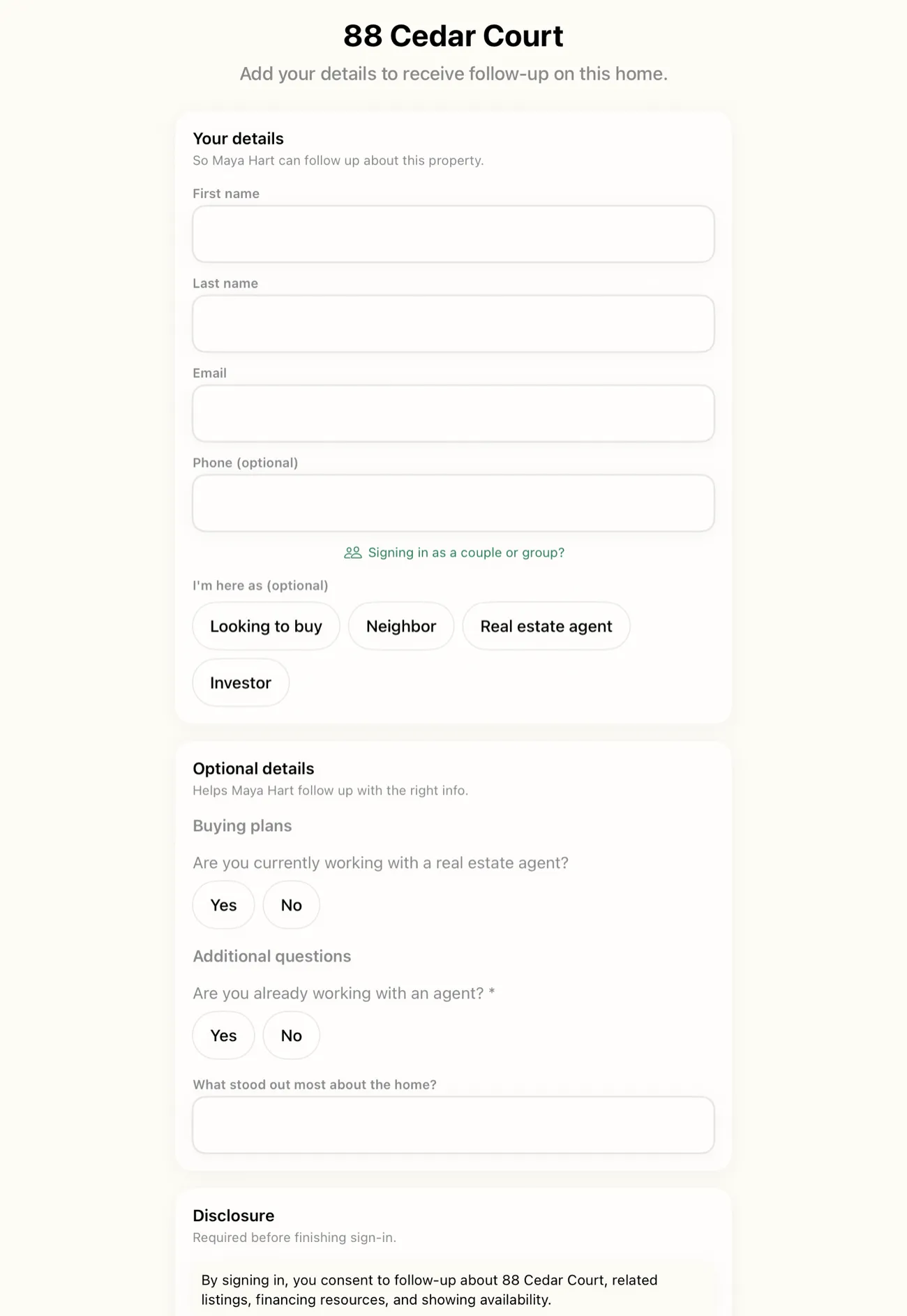
Offline is the default, not a fallback. Most sign-in apps treat offline as an edge case to recover from. OpenHouse makes zero network calls during an event. The kiosk, the single-screen sign-in form, buyer qualification, and lead storage all run entirely on-device. A listing with no signal behaves the same as one with fiber.
Your branding, your follow-up. The kiosk carries your name and listing. Visitors are triaged as they sign in (unrepresented hot lead, represented buyer, neighbor, investor), and when the event ends you export wherever you already work: CSV, Contacts, vCard, email, or a share-to-CRM handoff. There is also a seller report to show your client what the event produced.
Pricing and the trade-offs, stated plainly. OpenHouse costs $9.99/month or $79.99/year with a one-month free trial. If your subscription ever lapses the app drops to a data-safe read-only mode, and your leads stay viewable and exportable forever. The trade-offs are real: it is not free, it is iPhone/iPad only (no Android, no web forms), and it deliberately is not a CRM or marketing suite. It captures and qualifies at the door, then gets out of the way. If you want drip campaigns and landing pages in the same login, this is not that tool. For a feature-by-feature look at how it stacks up against the app you are leaving, read the full OpenHouse vs Curb Hero breakdown; we will not duplicate it here.
2. Open Home Pro: best for agents already living on a tablet
Open Home Pro is one of the oldest names in this category and a reasonable Curb Hero competitor if you want an established tool from a larger real estate company. It covers the basics, from digital sign-in and lead questions to follow-up emails, and it has been around long enough that many brokerages already know it.
The trade-offs: sign-in is tablet-only, so there is no phone fallback if your iPad battery dies mid-event. Its offline handling is also a sync-later model. Sign-ins queue locally and reconcile when a connection returns, rather than the app being designed to never need one. That works fine until the day it doesn't, and "did those three leads from the basement actually sync?" is not a question you want on a Monday. Development has also been visibly slow in recent years, so check that the current version still fits your workflow before committing.
3. Showable: best for teams that want showing tools around sign-in
Showable approaches sign-in from the showing-management side, and the team there has published a useful comparison of open house sign-in apps that is worth reading even if you land elsewhere. It covers the field with more candor than most vendor content. If you run a team and want sign-in to live inside a broader showing and feedback workflow, it is a credible option.
The trade-off is scope. A solo agent who just wants visitors captured and qualified at the door may be paying for, and navigating around, platform surface they will never use. Pricing is on their site; weigh it against how much of the platform you will actually touch.
4. A paper sign-in sheet: still a real Curb Hero alternative
No battery, no Wi-Fi, no app review. A clipboard with a well-designed sheet has captured leads at open houses for decades, and as a backup it belongs in every agent's bag regardless of which app you run. We maintain printable sign-in sheet templates you can use today for exactly this.
The trade-offs are the ones that pushed everyone to apps in the first place. Handwriting you cannot read. Phone numbers with seven digits. Visitors who can see everyone above them on the list, which is a real privacy concern. Zero qualification, and an evening of manual data entry per event. Paper never crashes, but it also never does anything. Run it as your main system in 2026 and it costs you more in transcription time than most subscriptions cost in money.
5. Google Forms: free, if your time is
A Google Form on an iPad is the duct-tape Curb Hero alternative. It costs nothing, bends to whatever questions you want, and responses land in a spreadsheet automatically. If you are technical and patient, you can build qualification logic with branching questions and even lock the iPad to the form using Apple's Guided Access as a makeshift kiosk mode.
The trade-offs stack up fast. Forms need an internet connection to submit, which puts you right back in the dead-zone problem. The experience looks like a survey, not a listing. There is no lead triage, no follow-up tooling, no seller report, and nobody to call when something breaks. It is a fine experiment for your first open house or two. It is a frustrating permanent home.
Don't switch from Curb Hero if…
A fair list owes you this section. Stay where you are if:
- Free is the deciding factor and the lender model does not bother you. Curb Hero's disclosure is public, the product itself is polished, and its 4.9-star rating is earned. If you have read how the lender pairing works and you are comfortable, or you already co-market with a lender you like, the price is unbeatable.
- You actively use the marketing suite. If Curb Hero's QR codes, listing pages, and follow-up tools are load-bearing parts of your business, a narrower sign-in app means rebuilding those elsewhere.
- You need Android or web-based sign-in. Several Curb Hero alternatives on this list, ours included, are Apple-only.
Switching tools has a cost in habit and setup time. Make sure the thing that bothers you about Curb Hero is worth that cost. For many agents it is. Not for all of them.
How to switch from Curb Hero without losing a single lead
Next steps, in order:
- Export your lead history first. Before you cancel or delete anything, download your existing leads from your Curb Hero account. Do this while your access is fully active.
- Import the CSV somewhere you control, whether that is your CRM, Google Contacts, or a spreadsheet. Verify the columns survived (names, emails, phones, listing notes).
- Set up the new tool before the next event, not the morning of. Build your sign-in questions, test the kiosk flow, and run a fake visitor through it.
- Run one open house in parallel if you are nervous. New app on the iPad, paper sheet on the table as backup.
- Check the exit door on the new app too. Whatever you pick should have a clean way out of any app. If your next tool cannot export your leads as easily as it imports them, you have traded one lock-in for another.
The rule behind all five steps: leads you captured belong to you, and the moment to secure them is before you switch, not after.
Curb Hero pricing: what it actually costs agents
Curb Hero pricing is straightforward on the surface: the agent pays nothing. There is no monthly subscription, no paid tier for additional sign-in questions, and no per-listing fee. If you are evaluating apps like curb hero purely on what hits your credit card, Curb Hero wins by default.
The cost sits somewhere else. Curb Hero's help center is transparent about how the platform is funded: lenders pay to be paired with listings, and when open house visitors opt into mortgage-related questions during sign-in, their contact information is shared with that lender. The agent's side of the transaction is free because the lender's side is not. That trade is disclosed, and many agents enter it willingly, especially if they co-market with a preferred lender. But it is still a trade, and it is worth naming it as one. For a longer look at how that dynamic plays out across the free app category, see our breakdown of free open house sign-in apps and how they are funded.
OpenHouse takes the other path: $9.99/month or $79.99/year, first month free, and the only party in the sign-in flow is you. No backend, no co-marketing, no lender. Whether that trade is worth making depends on how much the lender model matters to your business.
Is Curb Hero free? The honest answer
Is Curb Hero free? Yes, for agents. No strings attached to what you pay out of pocket. The full feature set, sign-in, branding, QR codes, lead capture, follow-up tools, comes without a subscription fee.
The fuller picture: it is free the way ad-supported television is free. The product exists because someone else is paying for the audience it creates. In Curb Hero's case that someone is a lender who is assigned to your listings and receives visitor lead data when those visitors indicate mortgage interest. If you have a lender you already work with and want them in your sign-in flow, Curb Hero's model can actually be a feature, it formalizes a co-marketing arrangement you might have handled informally. If you do not, a lender shows up anyway unless you actively configure one you prefer.
Agents who search "is Curb Hero free" are usually asking one of two follow-up questions: is there a catch, and is there a free alternative if I do not want that catch. On the first: the catch is disclosed and reasonable people disagree about whether it matters. On the second: paper is free (no catch, but no value either), Google Forms is free (but requires internet and builds nothing), and every option in between trades something. The only way to get a paid tool for free is a trial period, which is how OpenHouse's one-month free trial works before moving to a paid plan.
Curb Hero reviews and complaints: what users actually report
Curb Hero's ratings are strong. It sits at 4.9 stars across a substantial review base, and the positive reviews consistently mention polish, ease of setup, and the value of a full-featured free product. That rating is real and earned. This section covers what some users have reported as frustrations, not to make the case against the product but because a fair comparison owes you the full picture.
The lender co-marketing model, again. The most commonly reported concern, across agent forums and review commentary, is the same one this page has already covered: some users do not realize, until they read the help docs, that a lender may be paired with their listings by default. Agents who run high-end listings or who have spent years building a personal brand sometimes find that a third party appearing in the sign-in experience conflicts with the image they are presenting. This is less a product flaw and more a values mismatch, but it shows up repeatedly in reported complaints.
Branding control. Some agents report wanting finer control over how their name and colors appear relative to any co-marketing partner. The extent of this depends on your pairing setup.
Offline behavior. A smaller subset of reviews touch on connectivity-dependent moments during busy events. This is not unique to Curb Hero, any app that touches a server during a session can stall, but it surfaces in some negative reviews.
To be clear: none of the above reflects our rating of the product. Curb Hero has a 4.9-star average for a reason. But if you searched "curb hero reviews" and "curb hero complaints" trying to understand whether the frustrations others have mentioned apply to your situation, those are the categories worth stress-testing. For a head-to-head look at where OpenHouse and Curb Hero differ on the specific features that matter most to agents, the OpenHouse vs Curb Hero comparison covers it in detail.
Curb Hero for lenders: how the co-marketing side works
Curb Hero for lenders is not an afterthought, it is the business model. The platform is explicitly designed to let mortgage lenders sponsor agent listings, receive warm leads from open house visitors who express interest in financing, and build relationships with agents through co-marketing. For lenders, it is a lead source. For agents, it can be a co-marketing arrangement with someone they already work with, or a default pairing if they do not configure one themselves.
How it works in practice: according to Curb Hero's own help documentation, a default lender may be assigned to an agent's listings. When a visitor signs in and opts into mortgage-related questions during the sign-in flow, that visitor's contact information is shared with the paired lender. Agents can choose a specific lender they already have a relationship with, which makes the flow feel like a partnership. If they do not, one is assigned.
This is a clean setup for lenders who want qualified, engaged leads from people actively walking through properties for sale. It is also a reasonable arrangement for agents who have an existing referral partner and want that relationship baked into the sign-in experience.
It matters less if you are an agent who wants the kiosk to be entirely yours, no co-marketing, no data sharing, full stop. That is where the two models diverge. OpenHouse has no lender pairing, no co-marketing, and no backend. Visitor data sits on your device until you export it, and no third party receives it. The trade is paying for the tool instead of trading a data relationship.
If you are a lender evaluating Curb Hero as a lead source, that is outside the scope of this comparison, this page is aimed at agents. But understanding the lender side of Curb Hero helps make sense of why the agent side is free, and whether the arrangement is one you want to be part of.
Frequently asked questions
Why is Curb Hero free?
Curb Hero is monetized through lender co-marketing. Its help center explains that a default lender may be assigned to your listings, and when visitors opt into mortgage questions their information is shared with that lender. The app costs you nothing because the lender relationship funds it.
What is the best Curb Hero alternative if my listings have bad Wi-Fi?
Pick a tool that works fully offline rather than syncing later. OpenHouse captures, qualifies, and stores every sign-in on the iPad itself with zero network calls, so a dead-zone listing behaves exactly like one with perfect Wi-Fi.
Is there a free alternative to Curb Hero?
Yes, a paper sign-in sheet with a printable template is free, and Google Forms is free if you can live with a generic form and manual lead handling. Every free option trades away something: polish, qualification, kiosk lockdown, or your time.
How do I switch from Curb Hero without losing my leads?
Export your existing lead history from your Curb Hero account first, before you stop using it. Once your leads are out as a CSV you can import them into your CRM or contacts, then run your next open house on the new tool.
What is Curb Hero's pricing?
Curb Hero is free for agents. The app is funded through lender co-marketing rather than agent subscriptions, so there is no monthly fee or paid tier to unlock for basic sign-in and lead capture.
What do Curb Hero reviews say are the main complaints?
Curb Hero carries a 4.9-star rating and most reviews are positive. Some users have reported concerns about the lender co-marketing model, specifically that a default lender may be assigned to their listings and visitor information shared with that lender on mortgage opt-in, and a preference for branding control that keeps their name as the only one on the kiosk.
Does Curb Hero work for lenders?
Yes. Curb Hero's lender co-marketing model is specifically designed so lenders can sponsor agent listings. When visitors opt into mortgage-related questions during sign-in, that lead information is shared with the paired lender. Agents can pair with a lender they already work with, or a default lender is assigned.
For the full verdict on the app itself, read our Curb Hero review. If you have already decided to leave, how to switch from Curb Hero covers exporting your leads and setting up a private sign-in form.